Mail system structures can quickly become messy and complicated. The more features you need, the more services are required. Most Linux mail servers use Postfix as the Mail Transfer Agent (MTA) and a Mail Delivery Agent (MDA) like Dovecot. If you have mail aliases pointing to other systems, you need a sender rewriting service; to sign outgoing mails with DKIM, you need a signing service; to reduce spam, you need a spam filter, and so on. This is why today’s mail infrastructure can appear bloated — or, as some might say, a complicated mess.
To help you to get a clearer log with rspamd — a service to filter spam — I wrote down my best practices to filter incomming spam e-mails on my servers.
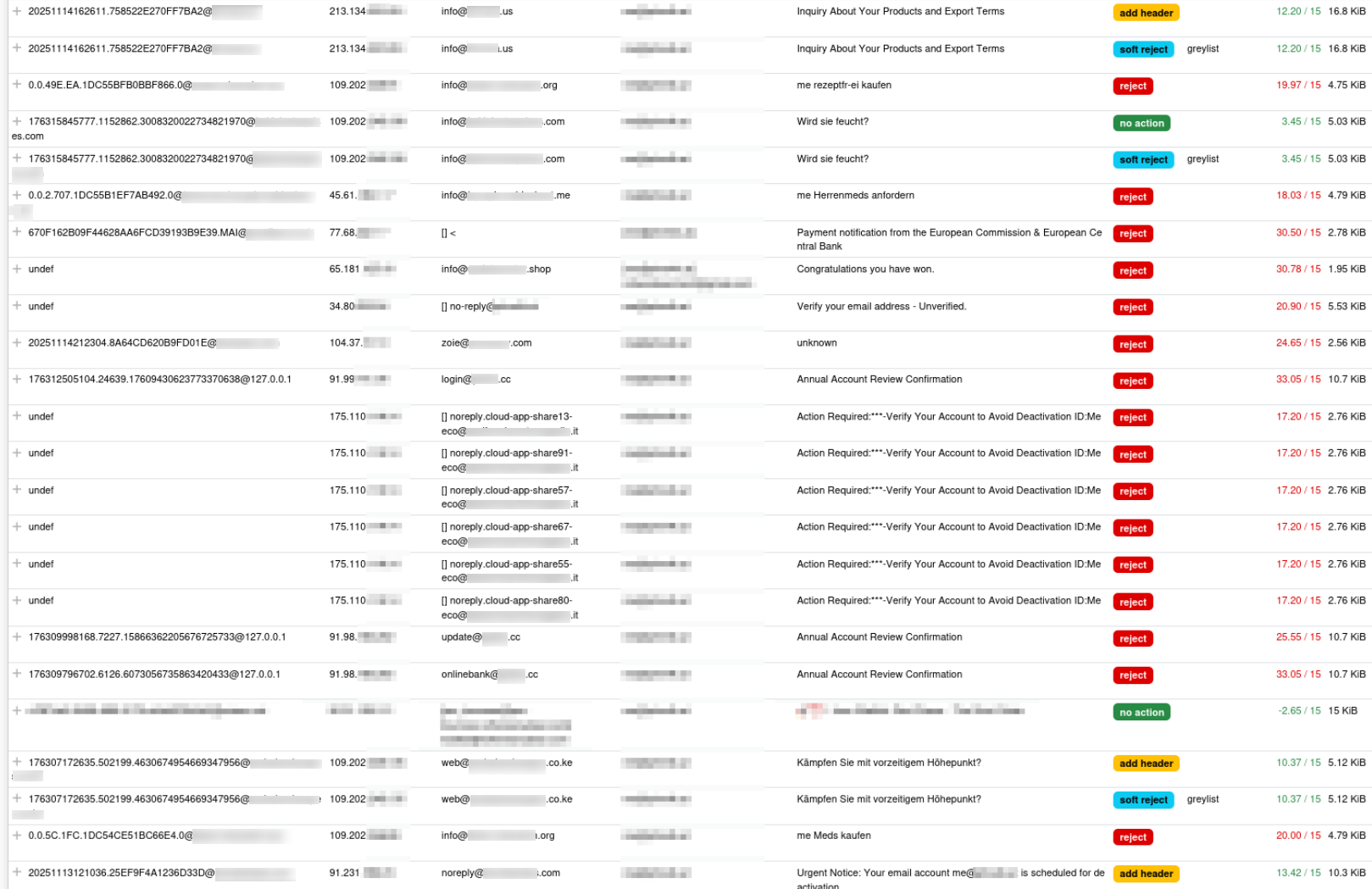
Above, you can see the amount of incoming spam for one of my addresses over a 12-hour period. Unfortunately, it’s not perfect — a single spam email still managed to get through. :C
Spamfiltering
Because most of the incoming spam is in German, my filters are tuned to detect content in the German language. I use a combination of approaches, from AI-based methods to classical wordlists. In practice, the traditional bad word filters often outperform modern AI approaches.
For me, the following thresholds have proven effective:
GREYLIST = 3   # Email is temporarily blocked; the sender retries after a few minutes
ADD_HEADER = 5 # Email receives a SPAM header and is moved to the spam folder
REJECT = 15    # Email is rejected outright
Filtering with Bayesian Filter
Bayesian Filtering is a statistical technique used to classify emails as spam or ham based on probabilities. The filter analyzes the content of incoming messages and calculates the likelihood that certain words or phrases appear in spam versus legitimate emails.
backend = "redis";
languages_enabled = true;

classifier "bayes" {
    # name = "custom";  # 'name' parameter must be set if multiple classifiers are defined

    tokenizer {
        name = "osb";
    }

    new_schema = true; # Always use new schema
    store_tokens = false; # Redefine if storing of tokens is desired
    signatures = true; # Store learn signatures
    per_user = false; # Enable per user classifier
    min_tokens = 11;
    backend = "redis";
    min_learns = 10;

    statfile {
        symbol = "BAYES_HAM";
        spam = false;
    }
    statfile {
        symbol = "BAYES_SPAM";
        spam = true;
    }
}
Filtering with Neural Networks
Neural Network Filtering uses machine learning models to classify emails as spam or ham. Instead of relying solely on individual keywords, the network learns complex patterns and relationships in the email content, including context, structure, and word combinations.
/etc/rspamd/local.d/neural.conf
servers = "/run/redis/redis-server.sock";
enabled = true;

train {
  max_trains = 1k; # Number ham/spam samples needed to start train
  max_usages = 20; # Number of learn iterations while ANN data is valid
  learning_rate = 0.01; # Rate of learning
  max_iterations = 25; # Maximum iterations of learning (better preciseness but also lower speed of learning)
}

ann_expire = 90d; # For how long ANN should be preserved in Redis
/etc/rspamd/local.d/neural_group.conf
symbols = {
  "NEURAL_SPAM" {
    weight = 3.0; # sample weight
    description = "Neural network spam";
  }
  "NEURAL_HAM" {
    weight = -3.0; # sample weight
    description = "Neural network ham";
  }
}
Filtering with Wordlists
Wordlist Filtering is a straightforward technique that classifies emails based on the presence of predefined lists of words or phrases. The filter checks incoming messages for matches against bad-word lists (spam indicators). For me the following wordlists helps a lot, which filters the content on the existing of different words:
BAD_WORDS_DE {
  type = "content";
  filter = "text";
  map = "${LOCAL_CONFDIR}/custom_maps/bad_words_de.map";
  regexp = true;
  score = 5.0;
}
-----

/\slotto\s/i
/pillenversand/i
/\skredithilfe\s/i
/\skapital\s/i
/\skrankenversicherung\s/i
/pädophil/i
/paedophil/i
/freiberufler/i
/unternehmer/i
/masturbieren/i
/\sescooter\s/i
/\se-scooter\s/i
/testost/i
/\spotenz\s/i
/potenzmittel/i
/rezeptfrei/i
/apotheke/i
/herren-tabletten/i
/herrenmeds/i
/sex/i
/bitcoin/i
/erektion/i
/erregung/i
/pillen/i
Or the following which filters on the subject line:
BLACKLIST_SUBJECT {
    type = "header";
    header = "Subject";
    regexp = true;
    map = "${LOCAL_CONFDIR}/custom_maps/blacklist_subject.map";
    description = "List of known Spam Subjects";
    score = 6.0;
}

---
/r[-]?e[-]?z[-]?e[-]?p[-]?t[-]?f[-]?r[-]?e[-]?i (ein)?kaufen/i
/r[-]?e[-]?z[-]?e[-]?p[-]?t[-]?f[-]?r[-]?e[-]?i anfordern/i
/r[-]?e[-]?z[-]?e[-]?p[-]?t[-]?f[-]?r[-]?e[-]?i bestellen/i
/^me .*$/i
/^info .*$/i
/die nummer 1 unter den küchenmessern weltweit/i
/me pillen online bestellen/i
/%user_name% herren-tabletten kaufen/i
/würzig, lecker, interessant/i
/%[A-Za-z_0-9]+%\ .*/i
/.*erregung.*/i
/fettverbrennung/i
/wundergewürz/i
/armut im alter?/i
/gewinne im schlaf/i
/goldrausch: ki/i
/goldrausch ki/i
Auto-Learn
Inside the file /etc/rspamd/local.d/statistics.conf you can configure not only the Bayesian classifier but also the auto‑learn functionality. It feeds the different AI filters with new messages by learning them as spam when they exceed a defined threshold, or as ham when they fall below a specified limit.
    learn_condition = 'return require("lua_bayes_learn").can_learn';

    autolearn {
        spam_threshold = 6.0; # When to learn spam (score >= threshold)
        ham_threshold = -1.5; # When to learn ham (score <= threshold)
        check_balance = true; # Check spam and ham balance
        min_balance = 0.9; # Keep diff for spam/ham learns for at least this value
    }
End
I hope this helps you further tune your Rspamd server and reduce the amount of unwanted messages… You can find all of the mentioned files in my Ansible repository. Feel free to use them or directly use my Ansible role:: https://git.dev.thomasweigold.de/home/privat-ansible/-/blob/master/roles/rspamd